

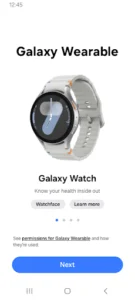
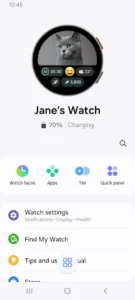
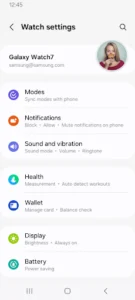
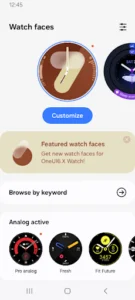
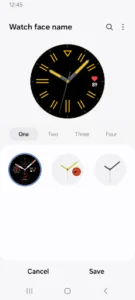
The Galaxy Wearable app serves as a central hub for connecting and managing your Samsung wearable devices with your mobile device. Its primary function is to facilitate the initial pairing of your wearable via Bluetooth and subsequently provide a suite of tools for configuration and monitoring. Users can leverage the app to manage various aspects of their connected wearables, from adjusting settings to handling software updates and application installations.
Connecting and Managing Devices
The app allows users to establish and terminate the connection between their wearable device and mobile phone. Once connected, it provides access to essential management features. This includes the ability to install and configure applications on the wearable through Galaxy Apps, adjust clock settings, and manage notification types and preferences. A notable utility is the Find my Watch feature, which can help locate a misplaced connected wearable.
Software and Application Management
Beyond basic connectivity, the app is crucial for maintaining the wearable’s software. It enables users to perform software updates, ensuring their devices run the latest firmware. Furthermore, it acts as the gateway for downloading and setting up additional applications specifically designed for the wearable, integrating them seamlessly into the device’s ecosystem.
Important Considerations
For the Galaxy Wearable app to function properly, a stable Bluetooth connection between the wearable device and the mobile device is continuously required; features and settings are only accessible when this connection is active. It’s important to note that the app does not support Gear VR or Gear 360 devices. While generally for mobile devices, the app can be used with tablets specifically for Galaxy Buds models. Support for various devices may differ based on region, mobile operator, and device model. Users on Android 6.0 or higher must grant the app necessary permissions in their Android Settings to utilize all functions, particularly Location or Nearby devices permissions, which are required for Bluetooth device discovery.



















Write a review